

Download Behance – Free Creative Portfolio & Job Platform
Overview: What Behance Offers Creative Professionals
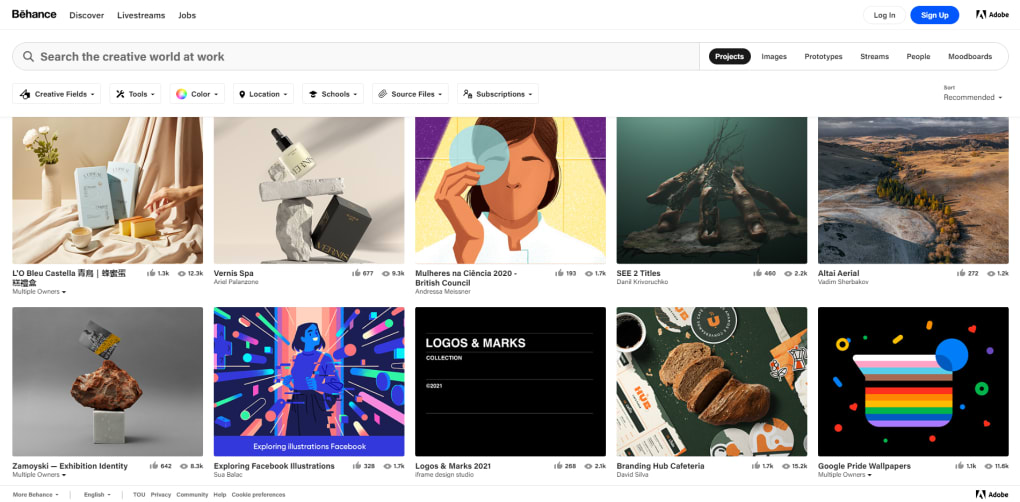
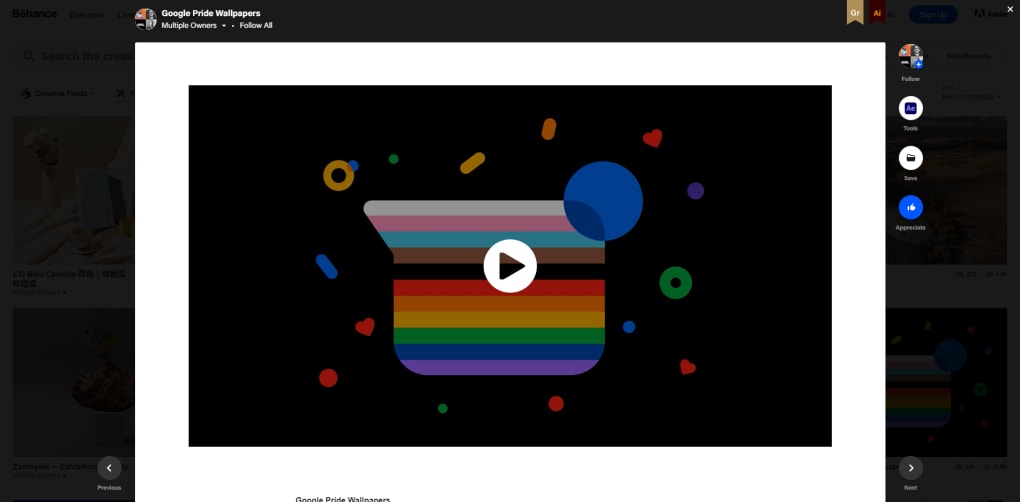
Behance, owned by Adobe, is a free social app designed especially for artists, designers, illustrators, photographers and anyone who creates visual work. The platform acts as a hybrid between a portfolio website, a social network, and a freelance job board. After signing up with an email address, an Adobe ID, or a social login, users fill in basic demographic information and begin uploading their best pieces. Each collection of work is organized into a “Project,” which receives a unique URL that can be shared across the web, embedded in blogs, or posted on other social channels. The community side of Behance works much like Pinterest: users can follow one another, “appreciate” (like) projects, comment, and add works they admire to personal Moodboards for future inspiration.
The app also integrates a Jobs section where employers post full‑time, freelance, or internship opportunities. While job seekers can browse listings for free, employers pay a modest fee to list their openings, ensuring that the marketplace remains vibrant without compromising user experience. As you accumulate followers, Behance’s algorithm surfaces relevant projects on your feed, and curated galleries highlight standout work, providing additional exposure for emerging talent.
Installation & Usage Instructions
1. Visit the App Store (iOS) or Google Play (Android) and search for “Behance”.
2. Tap “Install” – the download is completely free and requires only a few megabytes of storage.
3.
Open the app, choose “Sign Up” or “Log In” with your Adobe ID, Google, or Facebook.
4. Complete your profile by adding a headline, location, and a short bio.
5. Tap the “+” button to create a new Project.
Upload images, videos or PDFs, add descriptions, and tag your work with relevant keywords.
6. Publish the Project and share the generated URL. Follow other creators, comment, and build Moodboards to keep your feed fresh.
7.
To explore job opportunities, navigate to the “Jobs” tab, filter by type, location or discipline, and apply directly through the app.
The workflow is intuitive: once you’re comfortable with the upload process, you’ll find that managing multiple projects and interacting with the community takes only a few minutes each day. Because Behance is cloud‑based, all changes sync instantly across desktop, web, and mobile, allowing you to showcase your portfolio wherever you are.
Key Features That Make Behance Stand Out
- Unlimited Project Creation – No caps on how many portfolios you can build.
- Cross‑Platform Sync – Works seamlessly on Windows, macOS, iOS and Android devices.
- Moodboards – Collect inspiration from other creators and organize ideas for future projects.
- Appreciations & Comments – Real‑time feedback helps you gauge audience reaction.
- Curated Galleries – Adobe’s editorial team highlights exceptional work, increasing visibility.
- Job Marketplace – Search and apply for full‑time, freelance, or internship roles directly within the app.
- Integration with Adobe Creative Cloud – Publish directly from Photoshop, Illustrator or Lightroom.
- Analytics Dashboard – Track views, appreciations, and follower growth for each project.
- Social Sharing – One‑click sharing to Instagram, Twitter, LinkedIn, and personal websites.
- Secure Cloud Storage – All uploaded assets are stored securely on Adobe’s servers.
These features combine to create a comprehensive ecosystem for creators who want to showcase their work, network with peers, and discover new professional opportunities. The unlimited project limit is especially valuable for artists who produce series or experimental pieces; they never have to worry about hitting a quota. Integration with Creative Cloud means you can export a Photoshop file directly to Behance without leaving your design workflow, saving time and reducing the chance of version mismatches. Additionally, the analytics dashboard offers actionable insights—knowing which pieces attract the most appreciation helps you refine your style and market yourself more effectively.
The Jobs tab differentiates Behance from pure portfolio sites. While platforms like Dribbble or ArtStation also list openings, Behance’s direct connection to Adobe’s massive creative community means employers often target highly qualified candidates. The fee structure for employers keeps the job board curated, preventing spam and ensuring that each posting is serious. For freelancers, the ability to apply with a pre‑filled Behance profile streamlines the application process, making it easier to showcase your portfolio alongside your resume.
Pros, Cons, and Frequently Asked Questions
Pros
- Completely free to download and use for creators.
- Unlimited projects allow endless portfolio growth.
- Strong integration with Adobe Creative Cloud tools.
- Robust community engagement through appreciations and comments.
- Dedicated job board attracts serious employers.
- Cross‑platform support (Windows, macOS, iOS, Android).
Cons
- Navigation can feel cluttered for new users.
- Image export options sometimes require extra steps to download at full resolution.
- Job listings are more plentiful for design disciplines than fine art.
- Occasional latency when loading high‑resolution galleries.
- Premium features (like advanced analytics) are locked behind Adobe subscriptions.
FAQ – Your Behance Questions Answered
Is Behance really free for artists?
Yes, creating an account, uploading projects and browsing the job board are all free. Employers pay a small fee to post job listings, but there is no charge for artists to apply or view opportunities.
Can I download my own projects in high resolution?
Projects are stored in the cloud at their original resolution. While the web interface displays compressed thumbnails, you can download the original files from the project edit screen without loss of quality.
How does Behance integrate with Adobe Creative Cloud?
From Photoshop, Illustrator, Lightroom and other Adobe apps you can publish directly to Behance using the “Share” menu. The integration automatically adds metadata, tags, and a link back to your profile.
Is there a way to protect my work from being copied?
Behance offers a “Watermark” option when you upload images, and you can control who can download the original files. However, any image posted on the internet can be saved by determined users, so consider adding subtle watermarks for sensitive pieces.
What operating systems does Behance support?
Behance is available as a native app for iOS and Android, and the web version works on Windows, macOS, Linux and any modern browser. The Windows 10+, macOS 10.13+, iOS 13+, Android 8+ are officially supported.
Conclusion: Should You Download Behance Today?
For any visual creator looking for a free, secure and widely recognized platform to showcase work, Behance remains one of the strongest options on the market. Its unlimited project capacity, seamless Adobe integration, and active community make it a powerful portfolio hub that also doubles as a job‑search engine. While the interface could be streamlined and the download process for high‑resolution assets may require a few extra clicks, these minor drawbacks are far outweighed by the benefits of exposure, networking, and direct access to freelance opportunities.
If you’re already using Photoshop, Illustrator or Lightroom, adding Behance to your workflow is almost effortless—publish your latest design with a single click and watch the analytics update in real time. New users will appreciate the straightforward sign‑up and the ability to start building Moodboards from day one, fostering a habit of continuous inspiration. Even if you’re not an Adobe subscriber, the free app still offers robust features that rival many paid portfolio services.
Ready to join the world’s largest creative community? Download Behance now from your device’s app store, create your first project, and start connecting with fellow artists today. Your next client, collaborator, or creative spark could be just a click away.



.png)



